// AI basics
How AI Reads (and Why It Stops)
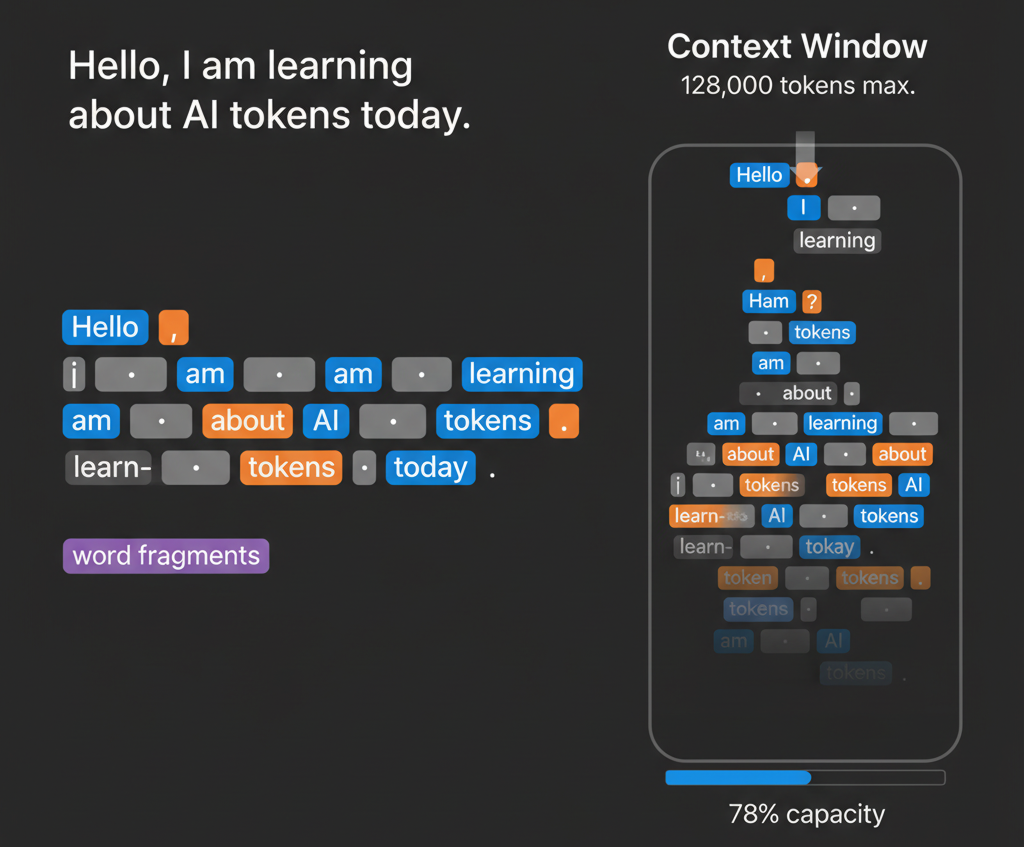
When you send text to an AI, it doesn't read it the way you do. It doesn't see "hello" as a word. It breaks everything down into small, digestible pieces called tokens. Think of it like Scrabble tiles. Your sentence isn't one big chunk. It's dozens or sometimes hundreds of individual tiles the AI has to work through.
So where does the word even come from? It matters more than you'd think. Linguists borrowed the term decades ago when they started breaking language into pieces. Computer scientists took it from there. When you break text into the smallest meaningful units a computer can understand, what do you call them? Tokens. A piece that represents the whole in the same way a poker chip represents money or a subway token represents one ride.
In AI, tokens are how the model actually thinks. Your text doesn't stay as text. It gets converted into numerical representations, and those representations are tokens. (Want to understand what happens to those numerical representations? We dive deeper into embeddings and vectors in How AI Learns.) Different models tokenize—convert text into numerical values—differently. The same sentence might be 10 tokens in Claude and 15 in ChatGPT. It's not random. The tokenizer was trained on data to find the most efficient chunks, so the model figures out which combinations appear most often and treats those as single tokens.
If you're using a subscription like ChatGPT Plus, you're not directly paying per token. But token efficiency still matters because it affects how well the AI can actually help you in a single response. For people using APIs to build something, though? Tokens become your most important metric.
This is why shorter prompts aren't always better. I know that sounds backwards. But a vague 50-token prompt that requires three follow-ups actually costs more than a clear 100-token prompt that nails it the first time. The AI understands you better, generates a better answer, no regenerations needed.
You're typing into ChatGPT and suddenly it just stops. Dead. You're sitting there refreshing, wondering if something broke. What actually happened? You hit your context window limit.
Your context window is your model's working memory. The latest models have dramatically larger windows. GPT-5 handles 400,000 tokens, while Gemini 2.5 Pro and Grok 4 can work with 2 million tokens. Older versions like GPT-3.5 still use 16,000, so it depends on which model you're using. A single page of text is roughly 350 to 500 tokens. That 40-page research paper you want to analyze? Ten thousand tokens gone like that. Once you're near the limit, earlier parts of the conversation fall out of context. The model can't reference them anymore. It's not a glitch. It's the model hitting its actual ceiling.
Here's a quick reference of the major models and their context windows as of October 2025:
Model Name | Provider | Max Context Window | Release Date |
GPT-5 | OpenAI | 400,000 tokens | Aug 7, 2025 |
Gemini 2.5 Pro | Google (DeepMind) | 2,000,000 tokens | June 17, 2025 |
Grok 4 Fast | xAI | 2,000,000 tokens | Sep 2025 |
Claude 3 Opus | Anthropic | 200,000 tokens | Mar 4, 2024 |
Sonar Pro | Perplexity AI | 200,000 tokens | Jan 21, 2025 |
GPT-4 Turbo | OpenAI | 128,000 tokens | Nov 2023 |
GPT-3.5 | OpenAI | 16,000 tokens | Mar 2023 |
So, how do you work with a context window? Structure your inputs deliberately. Think about what the AI actually needs, not what sounds impressive. Break large documents into sections. Regenerate prompts if they're not working instead of just pushing through.
Tokens are how AI reads. Your context window is how much it can hold. Understanding that changes everything about how you actually work with these tools—especially if you're building something that has to scale.
Liked this? There’s more.
AI news and know-how for the Gulf Coast, straight to your inbox. No spam, ever.
Subscribe