Back to Archive

LA-AI Insights: The Rise of the Computer

Your weekly AI news and updates from Lower Alabama

Wednesday, March 11, 2026

Share this newsletter:


Most of us are used to thinking about AI as something that talks about work. It explains things, summarizes documents, maybe drafts an email or two. But over the past few weeks, something different has started to land: AI that doesn’t just describe what you should do next, it actually goes and does it for you—clicking, typing, and navigating software like a very patient, slightly nerdy assistant.

Anthropic calls their version “computer use.” Perplexity calls theirs simply “Computer.” Under the branding, the core idea is the same: you describe an outcome in plain English, the AI sees a screen the way you do, and then it works through the clicks and keystrokes to get the job done. It can open a browser, log into a portal, move data from one place to another, and save files—without you writing code or building a custom integration.

If that sounds abstract, bring it closer to home. Imagine telling an assistant: “Pull last month’s invoices from our vendor portal, update the spreadsheet in my Dropbox, and email me a quick summary of any invoices over $10,000.” With these new tools, that’s no longer a thought experiment. Anthropic’s computer use model is already showing examples where Claude fills in web forms using data from a local spreadsheet, plans events by hopping between maps, reviews, and calendars, and automates the sort of tedious screen-hopping that eats whole afternoons. Perplexity’s Computer is being used to assemble huge spreadsheets, draft reports, and coordinate multi-step workflows for non-technical professionals by chaining together research, writing, and data work behind a single prompt.

The important nuance for our readers is this: you don’t have to be “technical” to benefit from this, but you do have to think in terms of outcomes and guardrails. Perplexity Computer is the more approachable example right now. It runs in the cloud as part of a premium plan, and from the user’s perspective it looks like a powerful assistant that takes a goal—“create a market brief on mid-sized logistics companies in the Southeast and structure it as a slide deck for my Monday meeting”—and quietly spins up a whole set of sub-agents and models to research, analyze, and package the result. You never see the 19 different AI models Perplexity is juggling in the background; you just see the finished work.

Anthropic’s computer use, by contrast, is still more of a power-user and developer tool today. It’s designed to run on an actual desktop environment, with Claude controlling a virtual mouse and keyboard, a text editor, and a terminal. That makes it incredibly flexible—anything you can do on a computer, it can in theory learn to do—but it also means someone has to set up the environment, supervise what it’s doing, and think carefully about access and security. It’s a glimpse of where this is headed on local machines, whereas Perplexity is showing what it feels like when the same idea is wrapped in a consumer-ready product. Right now the “Computer Use” applications are bundled int opremium plans but as with everything technology-related, those features will find themselves being made available to the lower tiers, and ultimately free tiers.

The bigger story, though, is the rise of “agents” as a category. For the past year or so, analysts have been arguing that AI agents—systems that can plan, take actions, and adapt based on feedback—would become a defining workforce trend. Market forecasts now project tens of billions of dollars flowing into this space by the end of the decade, with especially fast growth in areas like finance, professional services, and operations-heavy roles. In other words, the jobs where your day is mostly screens and systems are exactly where these agents are going to show up first.

So what does that mean for someone running a business here on the Gulf Coast who does not want to install Docker or read API docs? A few very practical things:

First, if a large chunk of your day is spent clicking through the same three to five systems—accounting, CRM, property management, inventory, HR software—this is the category to watch. Early adopters are already using AI agents to automate invoice processing, routine reporting, data cleanup, and information gathering that used to require a person bouncing between tabs. Second, “using an agent” will look less like learning a new tool and more like describing a recurring task clearly once, then supervising the AI as it learns to handle that task consistently. You’re shifting from “Do this click, then this click” to “Every Friday, prepare this report and highlight anything unusual.”

Third, and this is the caveat, none of these systems are truly “set and forget” yet. They can misread a screen, click the wrong button, or misunderstand a label. Think of them less as autopilot for your business and more as a junior analyst who works very fast but still needs review on anything financial, legal, or reputational. The leaders who get the most value from this will be the ones who learn how to delegate clearly to an AI, structure repeatable tasks, and build simple checks into their workflows.

Over the next year, you’re going to see “computer use” and “AI agents” show up in more products you already use—office suites, CRMs, vertical SaaS. The interesting question isn’t whether the technology is real; it clearly is. The question is how quickly each of us can redesign our own work so that a digital assistant doing the clicking is normal, and humans are spending more time on judgment, relationships, and strategy.

P.S. You may have noticed a fair number of em dashes in today's newsletter. You're also probably very aware that em dashes are a tell-tale sign of AI writing. But interestingly I, as a human, also use em-dashes which leads to a very interesting quandary: do I change my human writing style to not appear to be AI-written or do I just let it roll? I chose to let it roll with the full acknowledgement that I use AI in just about everything I do.


Upcoming Events

Tomorrow we are kicking off our first session of a new LA-AI event called the Agent Lab. This is to bring together people that are building AI agents or interested in agentic AI and want to share their learnings and learn from others in the community. Think of this as a giant show-and-tell. Join us at 314 Magnolia Ave in Fairhope for the first ever Agent Lab (We are currently working on bringing this to Mobile as well)

Invalid Date

314 Magnolia Ave., Fairhope

This Week in AI

1. NVIDIA is reportedly building an enterprise AI agent platform

NVIDIA's development of an enterprise AI agent platform signals the company's evolution from hardware provider to comprehensive AI infrastructure orchestrator. This strategic expansion leverages their computational dominance to capture enterprise software revenue streams while creating vendor lock-in through integrated hardware-software solutions. The platform could standardize enterprise AI agent deployment, potentially establishing NVIDIA as the primary gateway for business AI automation and fundamentally altering competitive dynamics in enterprise AI markets.

The Next WebRead more

2. Anthropic sues the US government over its Pentagon blacklist

Anthropic's lawsuit against the US government over Pentagon blacklisting establishes critical precedent for AI company-government relations and defense sector participation. This legal action directly challenges government authority to exclude AI companies from national security projects, potentially reshaping how defense contracts and security clearances operate in the AI sector. The outcome will influence whether leading AI companies can maintain both commercial independence and government partnership opportunities, affecting strategic positioning across the industry.

The Next WebRead more

3. Andrew Ng’s Team Releases Context Hub: An Open Source Tool that Gives Your Coding Agent the Up-to-Date API Documentation It Needs

Andrew Ng's team has released Context Hub, an open-source tool that automatically provides coding agents with current API documentation, addressing a critical limitation in AI-powered software development. This tool solves the persistent problem of coding agents working with outdated documentation, significantly improving their accuracy and reliability in real-world development environments. The release represents a major step toward more practical AI development tools, potentially accelerating enterprise adoption of AI coding assistants by ensuring they have access to current technical specifications.

MarkTechPostRead more

4. OpenAI's hardware and robotics chief quits over military deal she says lacked enough deliberation

OpenAI's hardware and robotics division chief resigned over concerns about the company's military partnership decision-making process, citing insufficient deliberation on ethical implications. This high-profile departure highlights growing internal tensions over OpenAI's strategic direction and military applications. The leadership exodus signals potential instability in OpenAI's hardware initiatives and reflects broader industry debates about AI weaponization ethics, potentially impacting investor confidence and strategic partnerships.

The DecoderRead more

5. How an AI system beat experienced doctors at diagnosing rare diseases

An AI system has demonstrated superior performance to experienced physicians in diagnosing rare diseases, marking a significant breakthrough in medical AI applications. This achievement validates AI's potential to enhance diagnostic accuracy in complex medical scenarios where human expertise is traditionally paramount. The system's success with rare diseases, which typically require extensive specialized knowledge, suggests AI could democratize access to expert-level medical diagnosis. This development has profound implications for healthcare delivery and medical education globally.

The Next WebRead more

6. Demand for AI Data Centers Sends Prospectors Hunting for Land and Power

Unprecedented demand for AI data centers is driving a new infrastructure gold rush as companies scramble to secure land and power resources for massive computational facilities. Energy-intensive AI workloads are creating bottlenecks in power grid capacity and prime real estate availability, fundamentally altering infrastructure investment patterns. This resource scarcity is reshaping regional economic development strategies and forcing AI companies to make strategic geographical decisions that will influence the future distribution of AI capabilities and economic benefits across different markets.

New York TimesRead more

Community Highlights

Thank you to everyone that comes out to our meetups. You are what makes this community thrive and a special thanks to the people that volunteer to get up and demo the things that they're working on.
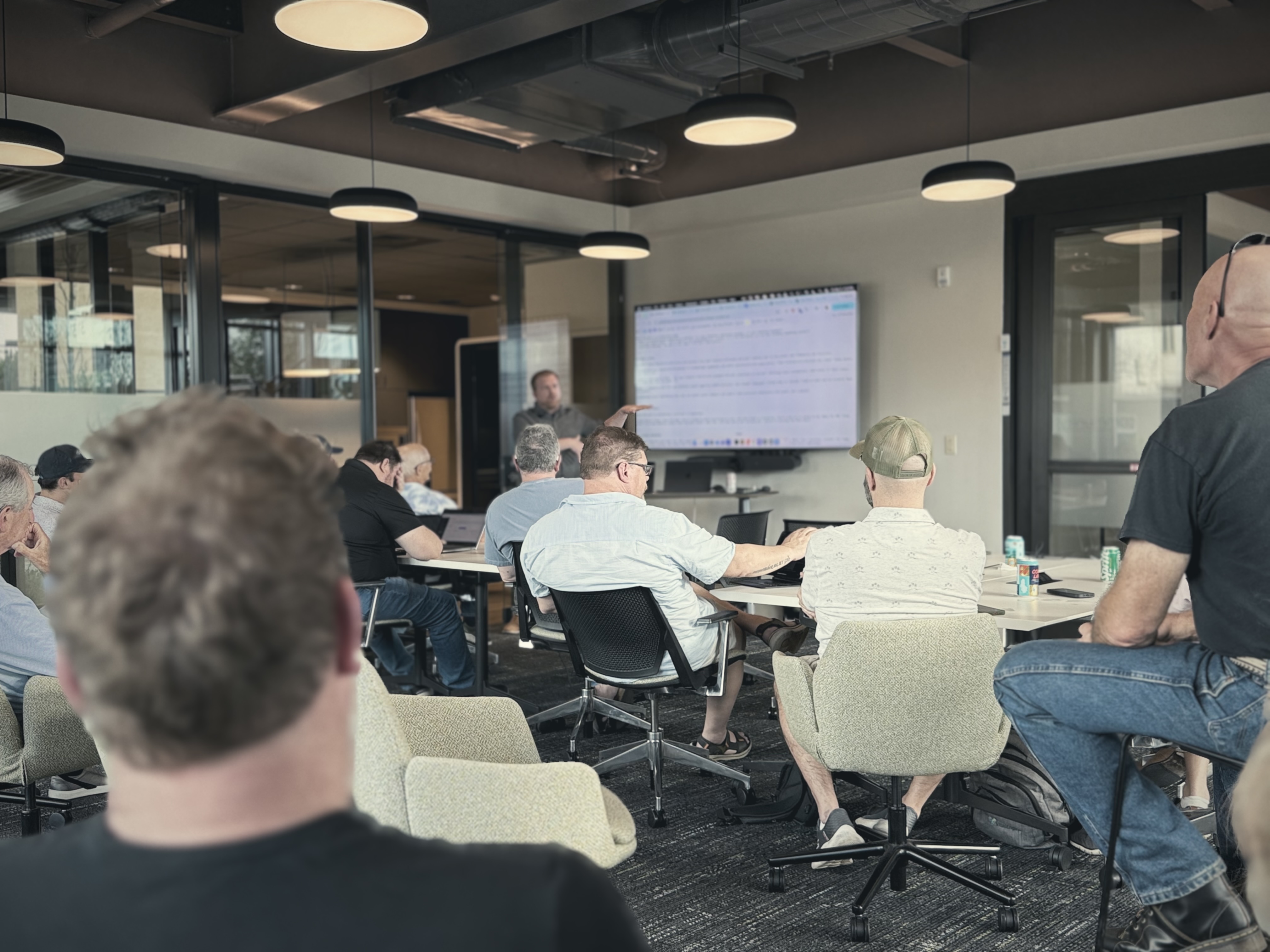
Thank you to everyone that comes out to our meetups. You are what makes this community thrive and a special thanks to the people that volunteer to get up and demo the things that they're working on.

Know someone who would enjoy this newsletter?

Forward this email or share the link below

https://la-ai.io/newsletter/view/2026-03-11
Subscribe to LA-AI Newsletter

Join Our AI Community

Get weekly insights on AI innovations and exclusive updates on LA-AI events

Subscribe Now